
Schemas
The schema is the core building block of FlowMCP. This page explains what a schema is, how it is structured from primitives, and how the schema inventory is organised.
What is a Schema?
Section titled “What is a Schema?”A schema is the complete blueprint for accessing a single data provider — for example the German Weather Service, Deutsche Bahn, or a sharing system like nextbike. One schema per provider, multiple tools per schema. The schema translates between the provider’s API and the AI agent, so the agent can query the data in a structured way without having to read the API documentation itself.
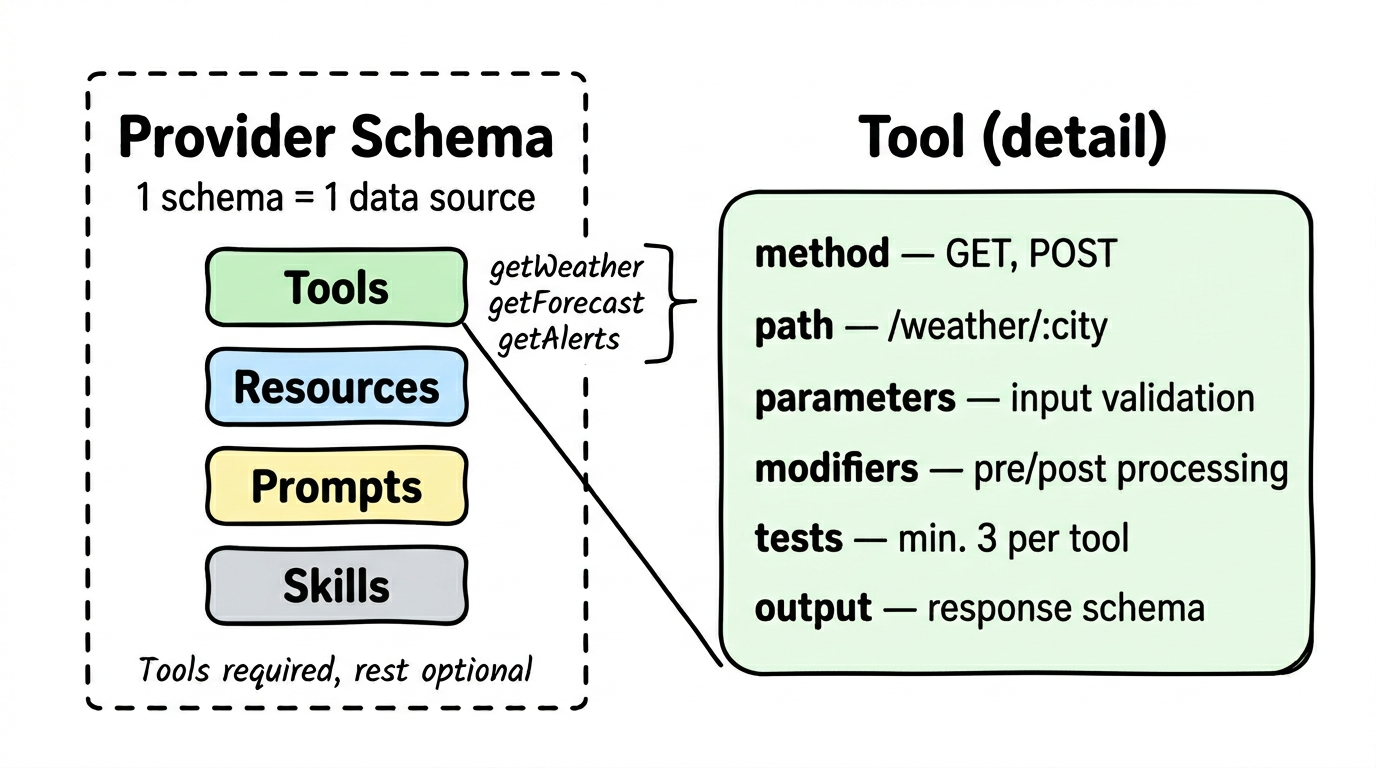
A schema bundles four primitives — Tools, Resources, Prompts, Skills. Only Tools are required; the other three are optional and come into play with more complex data sources. The four primitives are explained on the Primitives page.
Schema Format
Section titled “Schema Format”A schema is a single .mjs file. It declares its tools, resources, prompts, and skills in a static main export. An optional handlers export adds response transformation. Top-level fields like requiredServerParams (environment-bound values such as API keys), requiredLibraries (npm packages loaded at runtime), and sharedLists (reusable reference data) are declared alongside main.
The full field definition lives in the spec: FlowMCP Spec v4.1.0 — Schema Format. The spec also documents the validation rules and the schema ID format. This page intentionally stays at the conceptual level.
Inventory
Section titled “Inventory”Schemas are organised under provider namespaces in the public schema repository.
- 373 production schemas spanning categories such as Blockchain EVM, Blockchain Solana, DeFi, Crypto Data, Government DE/EU, Weather & Geo, Web3 Social, News & Media, Dev Tools, and NFT & Identity
- 1608 individual tools exposed via these schemas
- Dynamic source: github.com/FlowMCP/flowmcp-schemas-public,
meta.statsfield per schema
Live discovery via CLI: flowmcp search <provider> lists schemas and flowmcp call <tool> '{...}' runs them — every tool from the configured schemaFolders[] is immediately callable, no activation step.
Lifecycle
Section titled “Lifecycle”A new schema starts as a draft in tests/new-schemas/PROVIDER/. The author validates the structure with flowmcp validate <path>, runs the live data pretest with flowmcp grading deterministic <id>, and — if all routes pass — moves the file into schemas/v4.1.0/PROVIDER/ for release. From that point the schema is part of the global inventory and reachable via the CLI or programmatically via the core API. Updates follow the same loop: edit, validate, test, release.
Author guidance for each step is collected in the Schema Creation Guide and the FlowMCP Spec v4.1.0 — Schema Lifecycle section.